
Download Universal Android Debloater GUI – Android Debloater, Bloatware Remover, System App Remover
Overview
Universal Android Debloater GUI is a cross-platform utility designed to help users remove unnecessary system applications, commonly referred to as bloatware, from their Android devices. The primary purpose of the tool is to optimize device performance by freeing up storage space, reducing background resource consumption, and improving battery efficiency. By targeting non-essential pre-installed apps, users can reclaim valuable system resources and create a cleaner, more personalized Android experience.
Target users include tech-savvy individuals, Android enthusiasts, and anyone seeking greater control over their device’s software environment. The tool is particularly beneficial for users who want to extend the lifespan of older devices or enhance the performance of stock Android systems. While the app itself is not installed directly on the Android device, it operates through a desktop interface on Windows, Linux, and macOS, leveraging ADB (Android Debug Bridge) to communicate with connected devices.
Although the developer did not provide additional background details, the tool’s functionality suggests a focus on utility and system-level optimization. Real-world use cases include preparing a device for resale, improving responsiveness on low-end hardware, or simply decluttering a system with excessive manufacturer-installed apps. In the broader mobile app ecosystem, Universal Android Debloater GUI fills a niche for users who prioritize customization, performance, and control over their Android experience.
Key Features & Functionality
- Cross-Platform Support – The tool is compatible with Windows, Linux, and macOS, allowing users to operate it on their preferred desktop environment without dependency on a specific operating system.
- System App Management – Provides a comprehensive list of installed system applications, enabling users to review, identify, and selectively disable or remove bloatware.
- App Safety Information – Offers brief descriptions and safety indicators for each system app, helping users determine whether removal is safe and advisable.
- Storage Space Optimization – By removing unused or redundant system apps, users can reclaim storage space, which is especially valuable on devices with limited internal memory.
- Battery Life Improvement – Reducing the number of background-running system apps can lower CPU and memory usage, potentially leading to longer battery endurance.
- ADB-Based Communication – Uses Android Debug Bridge to establish a secure connection between the desktop and Android device, ensuring reliable control and execution of removal commands.
For example, a user with a mid-tier Android phone experiencing slow performance may use the tool to identify and remove redundant apps like pre-installed games, promotional widgets, or unused services. This action can lead to a noticeable improvement in device responsiveness and reduced heat generation. The tool’s interface allows for batch selection and preview of changes, enabling users to test the impact of removals before applying them.
Interface, UX & Performance
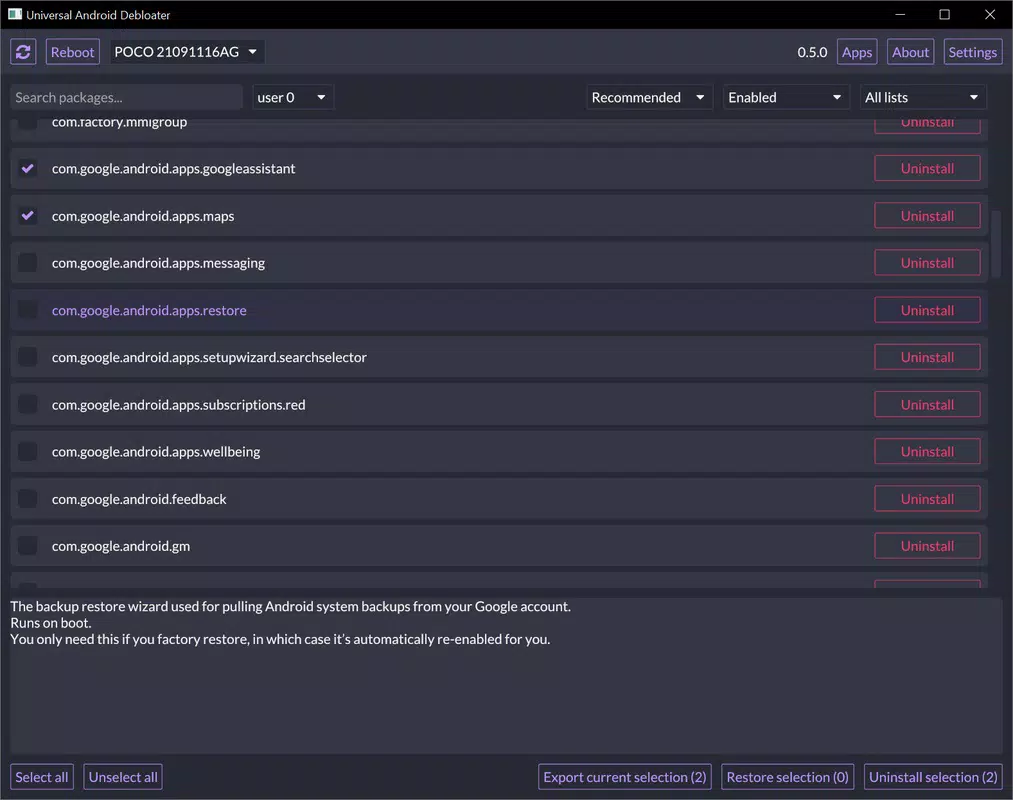
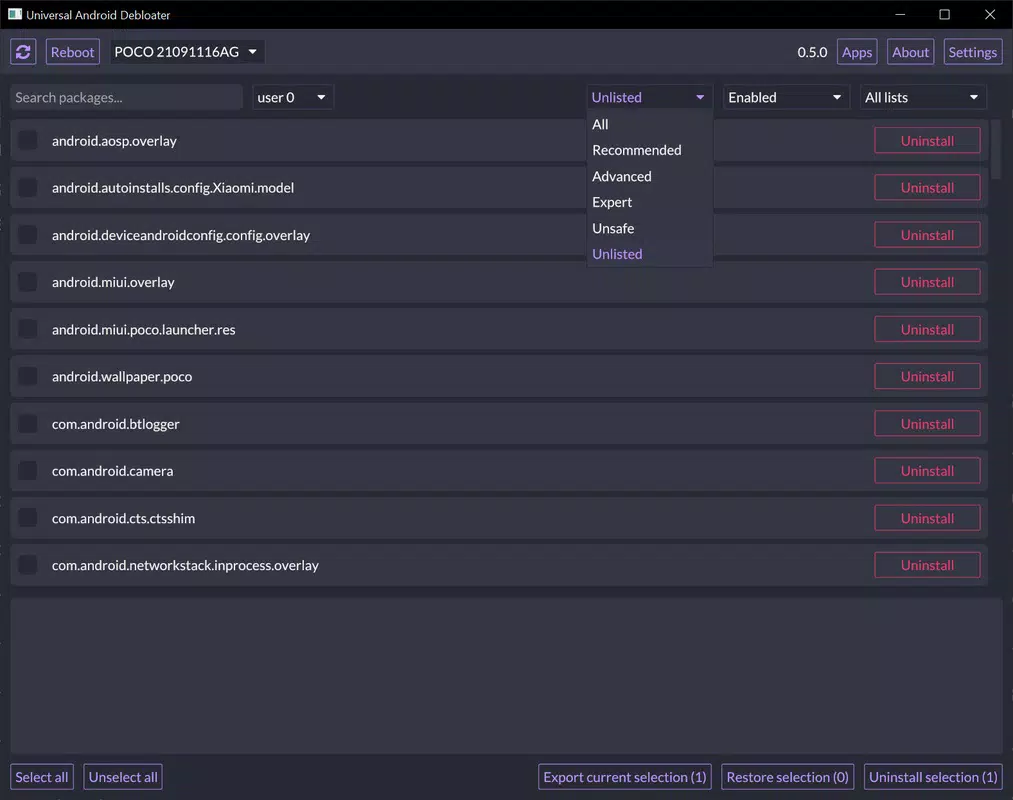
The user interface of Universal Android Debloater GUI is designed with functionality in mind, presenting a clean, organized layout that displays all system applications in a sortable list. Each app entry includes its name, package identifier, and a brief description, with visual cues indicating whether it is safe to remove. Navigation is straightforward, relying on standard desktop interaction patterns such as clicking, selecting, and confirming actions.
Although the developer did not list formal performance metrics, the tool operates efficiently during device scanning and app management tasks. The interface remains responsive even when handling large lists of system applications, and the connection via ADB ensures real-time updates. The tool does not impose significant system resource demands on the host computer, making it suitable for use on a wide range of desktop machines.
Stability appears to be consistent across multiple user environments, though performance may vary depending on the host system’s specifications and the Android device’s ADB responsiveness. Users are advised to ensure a stable USB connection and proper ADB configuration to maintain optimal operation. The tool does not include built-in error recovery or undo features, so users should exercise caution when removing apps.
Platform Compatibility & Technical Requirements
Universal Android Debloater GUI is available for Windows, Linux, and macOS, offering broad accessibility across major desktop operating systems. The tool requires a compatible Android device with USB Debugging enabled in Developer Options. While the exact minimum OS version was not specified, the tool is expected to function on modern versions of Android, including Android 8.0 and above.
The file size of the application was not disclosed by the developer. However, given its nature as a lightweight utility, it is likely to occupy a modest amount of disk space on the host machine. No specific hardware requirements were listed, but a standard modern computer with USB 2.0 or higher ports is recommended for reliable device communication.
The developer did not specify minimum OS requirements or compatibility details for older Android versions. Users should ensure that their device supports ADB and that the correct drivers are installed on their desktop system. Compatibility with specific device manufacturers or custom ROMs was not fully disclosed.
Pros and Cons
Pros
- Cross-platform availability across Windows, Linux, and macOS
- Provides safety indicators and descriptions for system apps
- Helps free up storage space and improve device performance
- Enhances battery life by reducing background processes
- Uses ADB for secure and reliable device communication
Cons
- Requires enabling Developer Options and USB Debugging
- Root access may be needed for certain system app removals
- Does not include built-in undo or backup functionality
- Developer did not provide detailed system requirements
- Not a mobile app – must be used via desktop computer
FAQ
Is Universal Android Debloater GUI safe to use?
The tool provides safety information for each system app, helping users avoid removing critical components. However, improper removal of essential system apps may lead to instability or loss of functionality. Always review app descriptions and proceed with caution.
Do I need root access to use this tool?
Root permissions are not always required, but some system apps may only be removable with root access. The tool will indicate when elevated privileges are needed.
Can I use this tool on any Android device?
Compatibility depends on the device’s Android version and whether it supports ADB. Most modern Android devices are compatible, but older or heavily customized systems may not work as expected.
How do I enable USB Debugging on my Android device?
Go to Settings > About Phone > Tap “Build Number” seven times to enable Developer Options. Then go to Developer Options and enable USB Debugging.
Is there a mobile version of this app?
No, Universal Android Debloater GUI is a desktop utility and is not available as a mobile application. It must be installed and run on a Windows, Linux, or macOS computer.
Final Thoughts
Universal Android Debloater GUI offers a powerful, accessible solution for users seeking to optimize their Android devices by removing bloatware. Its cross-platform design, clear interface, and safety-focused approach make it a valuable tool for anyone looking to reclaim storage, improve performance, and extend battery life. While it requires some technical setup, the benefits are tangible for users willing to invest a few minutes in configuration.
It is especially well-suited for advanced users, tech enthusiasts, and those managing multiple Android devices. The tool’s ability to operate without relying on a single operating system adds to its appeal in diverse technical environments. For those seeking a secure, free, and effective way to manage system apps, this utility delivers real value.
Download Universal Android Debloater GUI now


